



Sea Theme: How to Customize Your Home Screen with 24 Options for Android
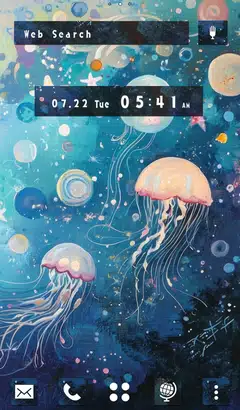
Easy ways to customize your Android home screen with the Sea theme! If you find a home screen customization that suits your taste from the many themes available, you can use the popular smartphone customization app +HOME to apply the Sea arrangement to your home screen with high-quality wallpapers, icons, clock widgets, and search widgets, all for free.

Download +HOME, the App You Need for Sea Customization!
c<p>With +HOME, the popular smartphone customization app, you can completely customize your smartphone's home screen to a Sea theme for free! Easily set wallpapers, icons, clock widgets, and search widgets!
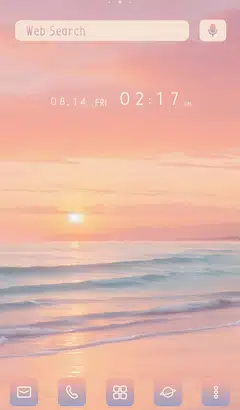
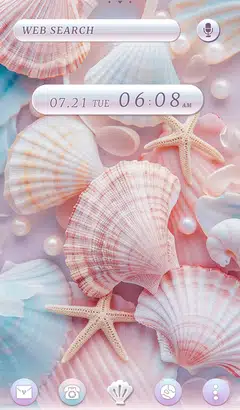

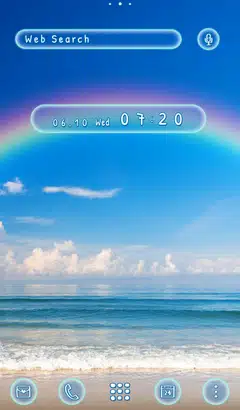
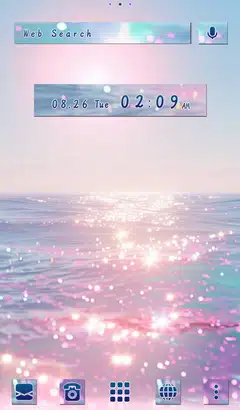



+HOME Recommended Popular Ranking
+HOME Special Features List.
-
🍓 Fresh Strawberry Theme Special 🍓
Bring juicy fruit to your phone! Enjoy a sweet and tangy home screen adorned with bright red berries every day with this fresh strawberry theme🍓
-
💖 Popular Girls' Fashion Theme Special 💖
Make your smartphone stylish! Trendy and cute wallpaper customization feature 💖
-
♥️ Pop Pattern Theme Special ♥️
A charming worldview that brightens every day! Transform your smartphone into the ultimate cute and stylish sanctuary with this dress-up theme featuring dancing hearts, cats, and flowers ♥️
-
🐰 Easter Special 🥚
Featuring cute Easter egg and rabbit designs! Feel the blessings of spring with heartwarming designs♪
-
💍 Special feature on June Brides 💍of your dreams! 💍
June Bride romance on your phone! We bring you a Kisekae feature with themes of churches, beaches, and ring motifs 💖
-
🌊 Ukiyoe Special 🗻
Featuring smartphone standby screens with ukiyoe designs that convey the beauty of Japan! Traditional designs bring Japanese charm to your daily life.
-
🐧 Summer Memories Theme Special 🎐
Summer All Over Again! A Dress-Up Feature Where Summer Memories Shine Bright at the Beach or Pool🎐
-
💖 Overflowing Love Theme Special 💖
Be captivated by love's brilliance! Dramatically transform your phone into the world's most passionate and adorable space with this heart-themed customization💖
-
🗼 The Eiffel Tower Theme Feature 🗼
With a smartphone theme featuring the Eiffel Tower, a symbol of Paris, you'll feel like you're in Paris! The iconic design makes your mobile device stylish too!
-
🧋 Tapioca Special 🧋
Cute bears and cats drinking tapioca drinks are waiting for your smartphone! A handsome pop design to add color to your phone!
-
🌼 Mimosa and Spring Theme Special Feature 🌼
A golden glow of happiness spreads across your screen! Transform your smartphone into a soothing sanctuary of gentle, warm colors with this mimosa and spring blossom-inspired theme🌼
-
🟢 Fresh green feature 🟢
Refresh your mood! Feel the fresh air every time you open your screen by dressing your phone in green color♪
-
🌼 Lovely Cosmos Theme Special Feature 🌼
Relaxing moments on your smartphone screen! Feel the comfort of a soothing cosmos theme 🌼
-
🍀 Featured clover for good luck 🍀
Grab good luck! Why not add a little surprise to your daily life with a smartphone Kisekae theme with a clover motif?
-
🌷 Naturally rich botanical special 🌿
Decorate your phone with botanical designs! Be sure to check out our wallpaper feature for the beauty of nature!
-
🎄 Christmas Tree Theme 2025 Special Feature 🎄
Get into the Christmas spirit! Brighten up your screen with a festive tree theme for your smartphone 🎄
-
Cute Cat Theme Special Feature
Get adorable kitties on your phone! With the latest dress-up themes, enjoy a home screen bursting with fluffy fur and innocent antics every day to your heart's content
-
🪽 featuring cute and elegant feather motifs 🕊️
Enjoy your smartphone with attractive feather designs! Discover the inspiring and beautiful designs of feather motifs 💖
-
☔ Healing Rainy Pattern Special ♫
The theme is full of beautiful, transparent designs incorporating motifs such as rain, drops, and umbrellas, perfect for the rainy season☔
-
🌱 Featured: Fresh Green Gradient Theme 🌱
A vibrant, soothing view right before your eyes! With this fresh green theme, transform your smartphone screen into a refreshing display of lush young leaves and dappled sunlight—and experience the exhilarating, refreshing breeze of early summer right now! 🌿
List of How to Use +HOME
-
About the Home Screen
-
Let's Change the Theme
-
How to Use the Drawer (App List)
-
Mastering the Home Screen
-
About the Iconpacks
-
How to Change Home Screen Icons Individually
-
How to Change Home Screen Icons All at Once
-
How to Change Home Screen Icons with Your Favorite Images
-
How to change home screen icon size